
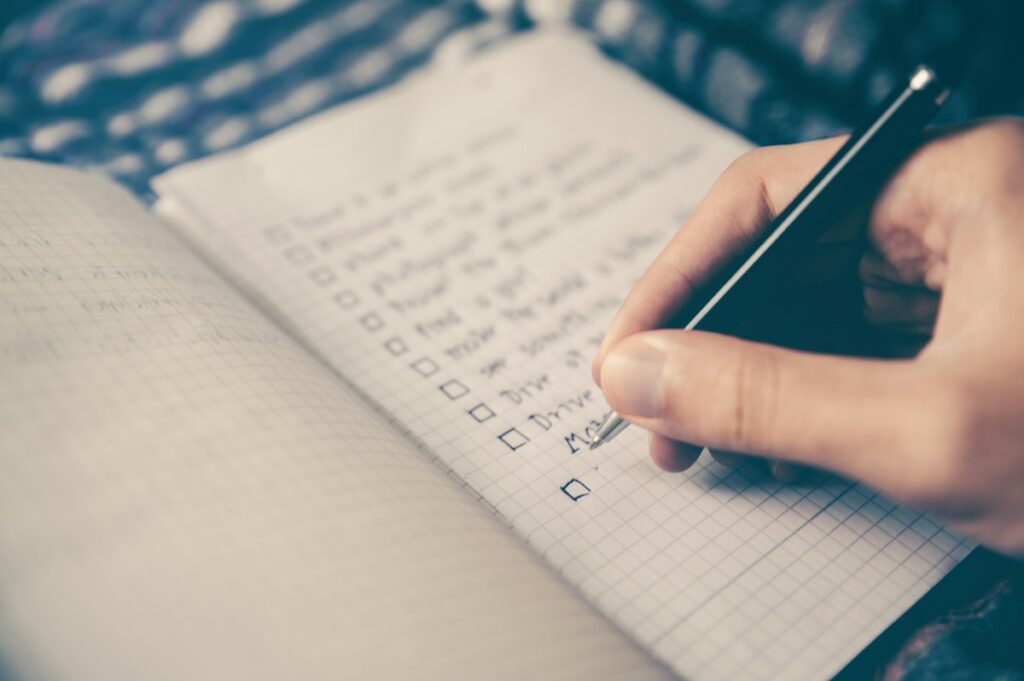
The best productivity apps don’t just store your to-do lists — they change how you work. The right system captures every task, idea, and deadline in one trusted place, freeing your mind to focus instead of juggle. In a world of endless notifications and competing priorities, a good productivity app is the difference between busy and effective.
But productivity is personal. Some people thrive with simple task lists, others need kanban boards or calendar blocking, and many do their best thinking in flexible note-taking spaces. The best productivity app for you matches how your brain already works instead of forcing a foreign system. This guide helps you find that match across every major approach.
Below are ten standout apps for getting more done daily, a comparison table, a buying guide for choosing wisely, and answers to common questions. Every app mentioned is a real, widely used service described in general terms, so you can pick with confidence.
Table of Contents
- Get More Done: Finding the Best Productivity Apps
- 10 Best Productivity Apps to Get More Done Daily
- Comparing the Best Productivity Apps
- Buying Guide: Choosing Your Productivity App
- Productivity App FAQs
- Final Thoughts
Get More Done: Finding the Best Productivity Apps
Here’s the uncomfortable truth about productivity tools: the app matters less than the system, and the system matters less than the habit. But the right app removes so much friction that the habits become easy — fast capture, reliable sync, and a review ritual that takes minutes. That’s what separates the ten apps below from the thousands that gather digital dust.
Start by identifying your bottleneck. Tasks slipping through cracks? You need capture. Can’t focus? You need blocking. Information scattered? You need a notes hub. Then match the tool to the problem — not the other way around.
10 Best Productivity Apps to Get More Done Daily
1. Todoist
Todoist is the gold standard for straightforward task management: fast, clean, and available everywhere. Natural-language input lets you type plain sentences that become scheduled tasks with dates and priorities. Projects, labels, and filters organize complex lives without complexity, and the karma system gamifies consistency gently.
It suits anyone who wants a powerful list manager without a learning curve. The free tier is generous, the paid tier adds useful automation, and the cross-platform sync is flawless. If your productivity system starts with capturing tasks quickly, this is the benchmark. Learn more at the official Todoist website.
2. Notion
Notion is a flexible workspace that combines notes, tasks, databases, and wikis in one customizable app. You build your own system from blocks: a habit tracker here, a project dashboard there, a meeting-notes database everywhere. The versatility is unmatched for people who want everything connected.
The tradeoff is setup time: Notion rewards tinkerers and can overwhelm minimalists. But once your workspace fits your workflow, it becomes a second brain. For students, creators, and teams who live in documents, it’s among the best productivity apps available. See what’s possible at notion.so.
3. TickTick
TickTick packs an impressive feature set into an affordable package: tasks, calendar, habit tracking, and Pomodoro timers in one app. The built-in Eisenhower matrix view helps you prioritize by urgency and importance, and the calendar integration shows tasks alongside events. It’s remarkable how much it offers for the price.
Users who want an all-in-one daily planner without juggling multiple apps should look here first. The habit tracker and focus timer genuinely improve work sessions. It’s a quiet overachiever in the productivity space.
4. Microsoft To Do
Microsoft To Do is the simple, free task manager that integrates deeply with the Microsoft ecosystem. The My Day view encourages a daily planning ritual: each morning, choose what matters today. Lists sync across devices, and Outlook flagged emails become tasks automatically.
It’s perfect for minimalists and for anyone already living in Microsoft 365. There’s no learning curve and no cost, yet it handles the core capture-and-review loop beautifully. Sometimes the best productivity app is the simplest one you’ll actually use.
5. Google Tasks
Google Tasks lives inside Gmail and Google Calendar, turning emails into tasks with a click and showing them alongside your schedule. The integration is the entire appeal: no separate app to open, no sync to manage. For people whose work already flows through Google Workspace, it removes all friction.
It won’t satisfy power users who need projects and tags — but that’s not its job. As a lightweight capture tool tied to your inbox and calendar, it’s elegantly sufficient. Simplicity done right beats complexity done poorly.
6. Trello
Trello popularized the kanban board for everyone: columns of cards you drag from to-do to doing to done. The visual format makes project status obvious at a glance, and boards adapt to anything from editorial calendars to home renovations. Power-ups add calendars, automation, and integrations as needs grow.
Visual thinkers and teams love the board metaphor. Personal users can run their whole week on a single board with lists for each day. It turns abstract workloads into something you can see and move, which is powerfully motivating.

7. Asana
Asana is built for team project management, with tasks, timelines, portfolios, and workload views that keep groups aligned. But solo users benefit too: personal projects gain structure from sections, custom fields, and rules that automate routine steps. The interface stays friendly despite the depth underneath.
Anyone coordinating work with others should consider it seriously. The free tier supports small teams generously. When projects involve multiple people and deadlines, Asana’s clarity prevents the dropped balls that derail plans.
8. Evernote
Evernote remains a capable home for notes, web clippings, and document storage with powerful search — including text inside images and PDFs. Tasks and calendar integration have expanded it beyond pure note-taking into light productivity territory. Longtime users value its reliability as a permanent external memory.
Researchers, writers, and anyone who collects reference material will appreciate the capture-and-retrieval strengths. The web clipper remains excellent. If your productivity bottleneck is finding information rather than tracking tasks, start here.
9. Forest
Forest takes a charming approach to focus: plant a virtual tree when you start working, and it grows while you stay off your phone. Leave the app and the tree dies. This gentle gamification makes deep-work sessions feel rewarding, and your forest becomes a visual record of focused time.
It’s ideal for anyone whose phone sabotages concentration. The mechanism is simple but psychologically effective: nobody wants to kill their tree. Pair it with any task manager for a complete focus system.
10. Freedom
Freedom blocks distracting websites and apps across all your devices on a schedule you control. Unlike willpower, it doesn’t get tired at 3 p.m. You define blocklists and sessions, and Freedom enforces them ruthlessly — even across phones, tablets, and computers simultaneously.
For chronic scrollers and tab hoarders, removal beats resistance. Scheduling recurring focus blocks builds deep work into your week automatically. It’s the digital equivalent of locking the office door, and it works.
Comparing the Best Productivity Apps
This table compares all ten apps by approach, standout feature, and ideal user.
| App | Approach | Standout Feature | Ideal User |
|---|---|---|---|
| Todoist | Task lists | Natural-language input | List lovers |
| Notion | Flexible workspace | Custom databases | System builders |
| TickTick | All-in-one planner | Habits plus Pomodoro | Daily planners |
| Microsoft To Do | Simple tasks | My Day ritual | Minimalists |
| Google Tasks | Inbox-integrated | Gmail and Calendar sync | Google users |
| Trello | Kanban boards | Visual drag and drop | Visual thinkers |
| Asana | Project management | Team timelines | Coordinators |
| Evernote | Note capture | Powerful search | Researchers |
| Forest | Focus gamification | Virtual tree rewards | Distracted workers |
| Freedom | Distraction blocking | Cross-device blocks | Chronic scrollers |
Buying Guide: Choosing Your Productivity App
Identify Your Bottleneck First
Different apps solve different problems. If tasks slip through the cracks, you need a capture system like a task manager. If you can’t focus, you need blocking or gamified focus tools. If information is scattered, you need a notes hub. If projects stall, you need visual project management. Diagnose before you prescribe.
Most people have one primary bottleneck and one secondary. Fix the primary first with a dedicated tool, then add support tools only if needed. Naming the problem first prevents the common mistake of adopting impressive tools for jobs you don’t actually have.
Match the Tool to Your Thinking Style
List thinkers want clean hierarchies and checkboxes. Visual thinkers want boards and timelines. Writers want flexible documents. Minimalists want as few features as possible, while system builders want infinite customization. Forcing yourself into a mismatched paradigm guarantees abandonment within weeks.
Try contenders for at least a week of real work before judging. First impressions favor shiny interfaces, but sustained use reveals whether the tool thinks like you do. Pay attention to how you feel after that week: energized and organized, or burdened by maintenance? The emotional response is data.
Prioritize Capture Speed and Reliability
A productivity system lives or dies on capture: getting ideas and tasks out of your head instantly. The best apps open fast, accept input with minimal taps, and sync reliably across devices. If capturing a thought takes more than a few seconds, you’ll stop doing it — and the system collapses.
Test the mobile experience ruthlessly, since most capture happens on phones. Widgets, quick-add, and voice input all help. Time how long it takes to record a task from a locked phone to a saved entry: if it exceeds ten seconds, simplify with widgets or voice shortcuts.
Keep Your Stack Small
Productivity tool sprawl is a real disease: a task app here, a notes app there, a habit tracker somewhere else, none of them fully used. Aim for two or three tools maximum: one for tasks and planning, one for notes and reference, and optionally one for focus. Every additional tool adds maintenance cost.
Before adding a new app, ask what job it does that your current stack can’t. Often the answer is nothing — and discipline with existing tools is the real upgrade. Choose tools that subtract distractions instead of adding dashboards, and your stack stays lean by design.
Top Productivity Apps by Use Case
The top productivity apps for task management share lightning-fast capture and reliable sync. If your main struggle is remembering everything, task managers with natural-language input and smart reminders will transform your days. For most people, this category delivers the biggest productivity return on investment.
For planning-focused users, all-in-one planners that combine tasks, calendar, and habits in one view reduce app switching to zero. And when distraction is the bottleneck, focus apps that use blocking or gamification protect your attention. Match the category to your bottleneck: the top productivity apps are only “top” for the problem they solve.
The best task management apps also play well with others through integrations with calendars, email, and team tools. Before committing, verify that your chosen app connects to the services you already use. A productivity system that requires constant manual syncing will collapse under its own maintenance weight within weeks.
Build the Review Habit, Not Just the Tool
No app works without review rituals. A weekly review — where you clear inboxes, update projects, and plan the week ahead — is the engine of every productivity system. Daily planning sessions of five minutes keep each day intentional. The tool stores the system; the ritual runs it.
Schedule these reviews as real calendar events until they become habits. Start small: one weekly review and one daily planning moment. Small systems practiced consistently outperform elaborate setups abandoned by February. If you want to pair productivity with learning goals, our language learning apps guide shows how to fit study into a busy schedule — and our household budgeting apps can bring the same systematic thinking to family finances.
Frequently Asked Questions About Productivity Apps
What is the best productivity app for beginners?
Simple task managers with gentle learning curves are ideal starting points. Look for fast capture, clear task lists, and minimal setup. Master the basics of capturing and reviewing before graduating to more complex systems. Pick one app, use it daily for a month, and resist the urge to optimize prematurely: the habits you build matter far more than the logo on the icon.
Can one app handle all my productivity needs?
Flexible workspace apps come closest, but most people do best with a small stack: a task manager plus a notes app covers nearly everything. All-in-one tools involve compromises, so combine specialists when a single app’s weaknesses frustrate you. Revisit the question yearly as apps evolve and your needs change.
Are paid productivity apps worth it?
Paid tiers add valuable automation, integrations, and collaboration features — but free tiers handle core personal productivity excellently. Pay when you hit a specific limitation that costs you time, not for features you might use someday. Audit your subscriptions yearly: needs change, and yesterday’s essential upgrade can become today’s unused expense.
How do I stop switching productivity apps constantly?
Commit to a ninety-day trial with one system and ban yourself from researching alternatives during it. Most switching comes from hoping a tool will fix a habit problem. Unsubscribe from productivity review channels during the trial to remove temptation. When the ninety days end, evaluate results — not novelty — before deciding anything.
Should I use separate apps for work and personal life?
One system with clear separation — like distinct projects or workspaces — usually beats two systems. A single trusted capture point prevents things falling between cracks. Use filters and views to keep contexts distinct within one app.
Do productivity apps actually make you more productive?
They amplify good habits and expose bad ones, but they can’t create discipline. Users with capture and review rituals see real gains; users who just install apps see none. Treat the app as infrastructure and the ritual as the engine: both matter, but only one moves you forward.
What is the simplest effective productivity setup?
One task manager with a daily planning ritual plus a notes app for reference covers most needs. Add a focus tool only if distraction is your bottleneck. This trio handles capture, reference, and attention — the three pillars of personal productivity. Start minimal, review weekly, and expand only when a clear gap appears. Pair your system with good inputs, too: our audiobook apps and fitness apps roundups can help you learn and recharge efficiently.
Final Thoughts
The best productivity apps share a humble goal: getting your tasks, ideas, and plans out of your head and into a system you trust. Whether you choose simple lists, visual boards, flexible workspaces, or focus tools, the right app removes friction between intention and action. The ten options here cover every style of working.
Pick the one that matches your thinking, commit to a daily capture habit and a weekly review, and watch the mental clutter clear. Start today with a single capture habit and a weekly review on your calendar. The compound effect of small daily wins will surprise you — give the system ninety days before judging it. Lasting change needs time to take root.

7 thoughts on “10 Best Productivity Apps to Get More Done Daily”